PackDraw Deposit Methods 2026: Card, Crypto, Fees & Minimums
Everything below comes from PackDraw’s own help centre articles on crypto deposits and card (Coinflow) deposits , checked 22 November 2026. Where PackDraw has not published something, we say so instead of guessing.
Short answer: PackDraw takes two kinds of deposit: crypto sent to your own deposit address, or card, Apple Pay or Google Pay through its payment partner Coinflow. PackDraw’s help centre gives $5 worth of crypto as the minimum in its example, and crypto usually arrives in under 10 minutes.
- Click the blue Deposit button (top right on PackDraw).
- Choose a coin, or pick Apple Pay, Google Pay or card.
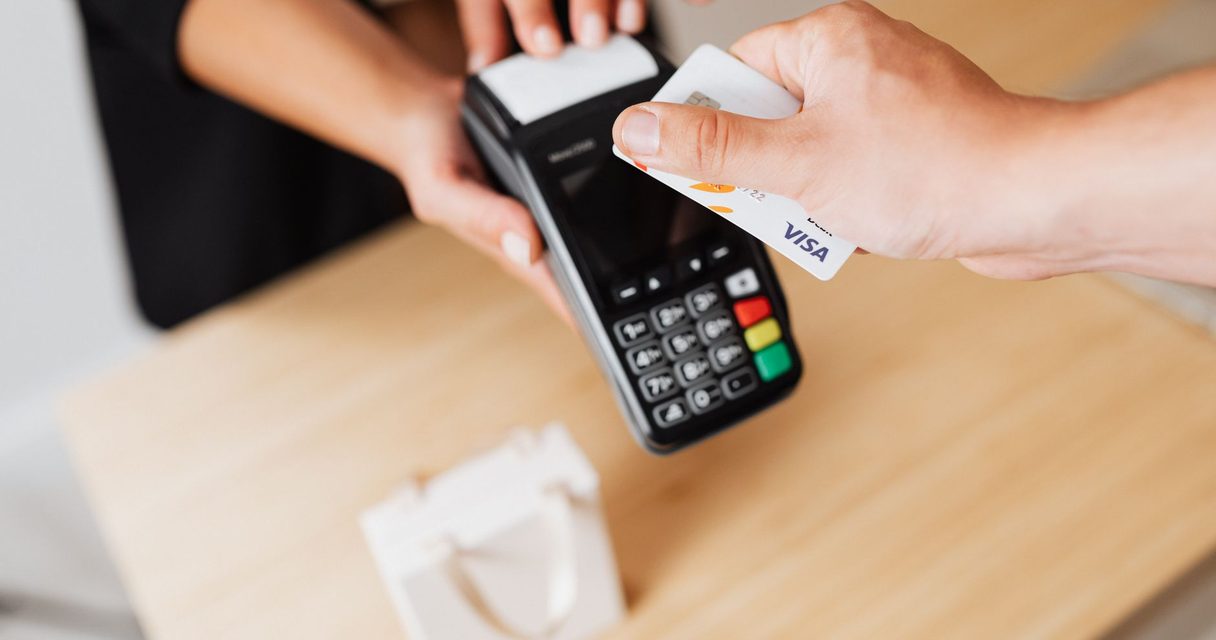
- Crypto: send at least the minimum shown to the address or QR code, on the same network. Card: enter the amount, check the fee shown, then confirm with your bank.
- Wait for your balance to update before sending another payment.
Code reminder: Apply BONUS1000 before every deposit. The displayed offer is 5% extra on crypto deposits only, up to $200 in bonuses, within 24 hours of applying the code. Check PackDraw’s current terms before paying.
Apply BONUS1000 before every deposit.It does not stay on your account.
5% extra on crypto only · up to $200 · deposit within 24 hours of applying. Check the current offer on PackDraw.
Everything below comes from PackDraw’s own help centre articles on crypto deposits and card (Coinflow) deposits, checked 22 November 2026. Where PackDraw has not published something, we say so instead of guessing.
PackDraw deposit methods at a glance
| Crypto | Card, Apple Pay, Google Pay | |
|---|---|---|
| Options | BTC, ETH, SOL, XRP, USDT, USDC, LTC, TRX and more | Credit/debit card, Apple Pay, Google Pay (USD, EUR, BRL, JPY and other currencies) |
| Minimum | $5.00 worth (PackDraw’s ETH example; check the amount shown for your coin) | Not published — shown when you enter an amount |
| Fees | Network fee set by your wallet or exchange | Shown for each option before you pay |
| Arrival | After 1–6 network confirmations, usually under 10 minutes | When the payment completes |
| Extra checks | PackDraw says none needed | You may be sent to your bank to approve |

Hit the PackDraw Jackpot Round
Stack the wheel and chase 50× multipliers in Jackpot battles.
Apply BONUS1000 before every deposit.It does not stay on your account.
5% extra on crypto only · up to $200 · deposit within 24 hours of applying. Check the current offer on PackDraw.
How to deposit with crypto
- Click Deposit at the top right of PackDraw.
- Select the coin you want to send.
- Copy your unique deposit address or scan the QR code.
- Send at least the minimum shown from a wallet or exchange that supports that exact network.
- Your balance updates after 1–6 confirmations — usually under 10 minutes.
Check the network. PackDraw warns to only send from wallets and exchanges that support the selected network. Sending on the wrong network can mean losing the funds.
How to deposit with card, Apple Pay or Google Pay
- Open your profile and click Deposit.
- Choose Apple Pay, Google Pay or Credit/Debit Card.
- Enter the amount. The fee for each option is shown before you continue.
- Pay, and approve with your bank if you are redirected.
- The funds land in your PackDraw balance once the payment completes.
Card deposits are handled by Coinflow, PackDraw’s payment processor. Your own bank may still add foreign-transaction charges; that is between you and your bank.
Crypto or card: which should you use?
Card, Apple Pay or Google Pay is simplest if you do not own crypto — you see the fee up front. Crypto suits people who already hold coins; the cost is the network fee, and low-fee networks matter most for small deposits. Either way, decide your total budget first and treat it as money you can afford to lose.
Independent reviewers report that deposited money cannot be withdrawn directly and must be used on packs, and that withdrawals are crypto only from $15 in eligible cart items (Loot Boxes, Unpacked). Read our withdrawal guide before you deposit.
Deposit not showing? What to check
- Crypto: look up the transaction in your wallet or a block explorer. If it has fewer confirmations than needed, wait. Check you used the right coin, network and address.
- Card: check whether your bank asked for approval or blocked the payment, and whether the charge is pending.
- Still missing: contact PackDraw at support@packdraw.com with the amount, time and transaction ID. See our customer support guide.
Pack Battles — winner takes all
Real rivals, real items. Battle 1v1, 2v2, or all-in jackpots.
Apply BONUS1000 before every deposit.It does not stay on your account.
5% extra on crypto only · up to $200 · deposit within 24 hours of applying. Check the current offer on PackDraw.
Using the promo code
Apply BONUS1000 before every deposit. The displayed offer is 5% extra on crypto deposits only, up to $200 in bonuses, within 24 hours of applying the code. Check PackDraw’s current terms before paying.
Frequently asked questions
What payment methods does PackDraw accept?
Crypto (BTC, ETH, SOL, XRP, USDT, USDC, LTC, TRX and more) and card, Apple Pay or Google Pay through its processor Coinflow, according to PackDraw's help centre.
What is the PackDraw minimum deposit?
PackDraw's crypto deposit guide uses $5.00 worth of crypto as the minimum in its example. A card minimum is not published; check the amount shown on the deposit screen.
Win luxury items, shipped to your door
Watches, electronics, sneakers and rare collectibles.
Apply BONUS1000 before every deposit.It does not stay on your account.
5% extra on crypto only · up to $200 · deposit within 24 hours of applying. Check the current offer on PackDraw.
How long do PackDraw crypto deposits take?
After 1 to 6 network confirmations, usually under 10 minutes, per PackDraw's help centre.
Are there fees to deposit on PackDraw?
Card, Apple Pay and Google Pay fees are shown for each option before you pay. For crypto, your wallet or exchange sets the network fee.
Can I withdraw money I deposited?
Independent reviewers report that deposits cannot be withdrawn directly and that withdrawals are crypto only, from $15 in eligible cart items. Check the withdrawal guide before depositing.
Insider newsletter launching shortly
Promo alerts and weekly pack picks. Sign-ups open soon.
Related guides
PackDraw Shipping Times: What to Expect
When you land a luxury item from a mystery pack opening, the excitement is immediate. However, that high is quickly followed by the most common question in the community: how long …
PackDraw Withdrawal Guide 2026: Payout Times & Limits
To withdraw from PackDraw, select eligible items in your cart and choose Withdraw . Sell adds on-site balance; it does not send a payout to your wallet.
PackDraw Crypto vs Card Deposits
When navigating the high-stakes category of luxury mystery pack openings, the speed and efficiency of your wallet funding can make the difference between securing a rare timepiece …